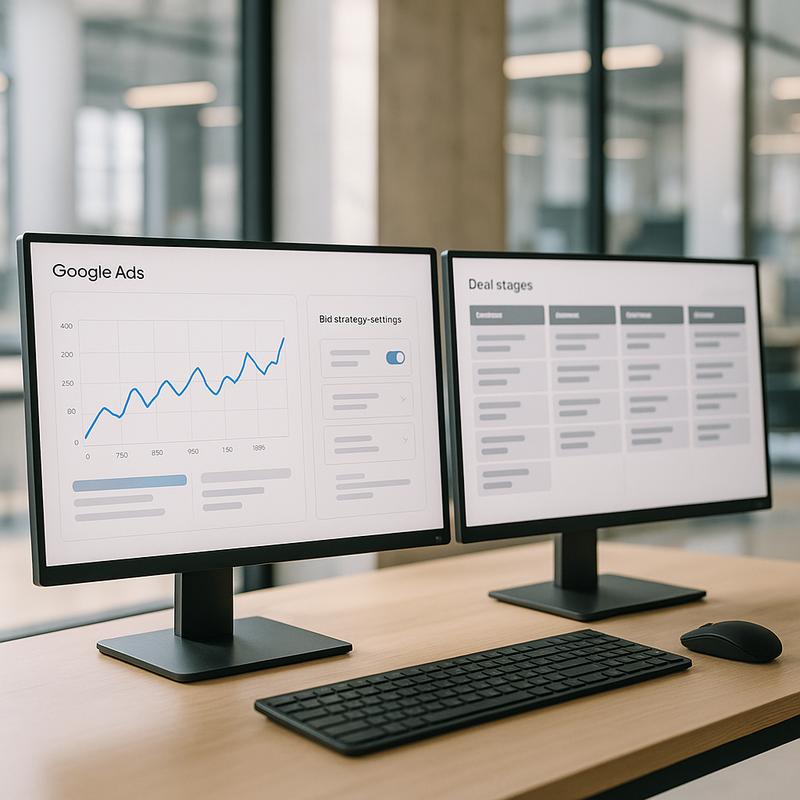
Smart Bidding is Google's automated bid strategy system, covering Target CPA, Target ROAS, Maximize Conversions, and Maximize Conversion Value. For B2C e-commerce with thousands of monthly conversions, it performs well. For B2B advertisers running 15 to 40 lead form submissions per month, it often misfires badly, chasing cheap form fills instead of qualified pipeline, and inflating cost-per-lead while actual revenue-generating leads decrease.
Why Smart Bidding Struggles With B2B Conversion Volumes
Google's own guidance recommends a minimum of 30 to 50 conversions per month per campaign before switching to Target CPA, and at least 50 conversions for Target ROAS to stabilise. Most B2B campaigns never hit those thresholds in a single campaign, especially in niche verticals like SaaS, professional services, or industrial equipment. When the algorithm lacks sufficient signal, it experiments aggressively with bids, which typically results in cost spikes of 30 to 60% during the learning phase with no corresponding lift in lead quality.
The deeper problem is that Smart Bidding optimises toward whatever conversion action you have defined. If your primary conversion is a contact form submission and that form attracts a mix of qualified prospects, students, and competitors, the algorithm has no way to distinguish between them. It will simply find more of whoever submits forms, which is rarely your ICP. This is one of the core reasons Google Ads stops generating quality leads for B2B accounts that switched to automated bidding without fixing their conversion tracking first.
The Conversion Data Setup You Need Before Enabling Smart Bidding
Before touching bid strategy, you need to import offline conversions tied to CRM stages. The standard setup is: import a "Qualified Lead" or "SQL" event from your CRM into Google Ads as a primary conversion action, and demote form submissions to a secondary, non-bidding conversion. This gives the algorithm a signal it can actually use. Google's offline conversion import documentation walks through the GCLID-based import process, which is the most reliable method for B2B setups.
With offline conversion imports in place, you also need volume. If your CRM generates fewer than 20 SQLs per month attributed to Google Ads, a single campaign running Target CPA on that signal will be in a perpetual learning state. The workaround is to consolidate campaigns, merging ad groups that were previously split by match type or product line into fewer, higher-volume campaigns. Account-level Smart Bidding, applied via portfolio bid strategies, can also pool conversion signals across campaigns, which helps when no single campaign hits threshold alone.
One additional layer that is frequently skipped: conversion value assignment. If you assign a fixed value of $1 to every SQL regardless of deal size, Target ROAS becomes meaningless. Pull average deal size by lead source from your CRM and assign weighted values. A mid-market inbound SQL might carry a value of $8,000 while an SMB self-serve lead carries $1,200. That difference changes how aggressively Smart Bidding bids for each segment, which is exactly what you want.
When to Stay on Manual or Enhanced CPC
Manual CPC with bid adjustments by device, location, and hour of day still outperforms Smart Bidding in three specific B2B scenarios. First, new campaigns with under 60 days of history and fewer than 20 conversions recorded. Second, highly segmented campaigns targeting a very narrow keyword set, such as 8 to 12 exact-match terms where impression volume is low by design. Third, accounts where the sales cycle exceeds 90 days and offline conversion import lag means the algorithm is always working with stale data.
Enhanced CPC sits in the middle ground. It adjusts bids by up to 30% based on conversion likelihood signals but does not fully automate bid setting. For B2B accounts with 20 to 40 conversions per month, Enhanced CPC often delivers a 10 to 18% lower CPA than pure manual while avoiding the volatility of full Smart Bidding. It is a useful holding position while you build conversion volume toward the thresholds that make Target CPA viable.
The Bidding Signals Smart Bidding Actually Uses in B2B Contexts
Smart Bidding incorporates dozens of signals at auction time: device, browser, location, time of day, search query, audience list membership, and remarketing history. For B2B, the audience signal is the highest-leverage input you can provide. If you upload a customer match list of your existing clients and a lookalike derived from them, the algorithm will bid higher for searches that match that profile. Without those lists, it relies only on contextual signals, which are much weaker in B2B where the same search query can come from a junior analyst, a VP of Operations, or a procurement consultant.
Structuring your campaign so Smart Bidding has the right audience context matters as much as the bid strategy itself. This connects directly to how you structure Google Ads campaigns for B2B, where audience layering at the campaign level gives Smart Bidding the inputs it needs to differentiate bids by prospect quality, not just keyword match.
A Practical Override Protocol: What to Monitor Weekly
Once you have enabled Target CPA or Maximize Conversions with a target, do not leave it unchecked for 30 days and assume it is working. Set up a weekly review covering three metrics: impression share lost to rank (should stay below 20% if your target CPA is set correctly), average position of converting queries (sudden drops signal the algorithm is under-bidding on your best terms), and the ratio of SQLs to raw form fills over the past 14 days. If that SQL ratio drops below your historical baseline by more than 15%, the algorithm is finding volume at the expense of quality.
When you spot a quality drop, the right override is not always reverting to manual CPC. Often it is tightening the target CPA by 10 to 15%, which forces the algorithm to be more selective. Alternatively, adding negative audiences, such as excluding job titles below manager level via a Google Ads Customer Match exclusion list, can filter out noise without disrupting the bid strategy. For deeper guidance on stopping spend on terms that are never going to convert, the process for eliminating wasted spend through negative keywords applies equally well when layered alongside Smart Bidding controls.
The practical rule is this: Smart Bidding is a tool, not a strategy. It performs when you give it clean signals, sufficient volume, and defined guardrails. It fails when you hand it a raw form-fill conversion, a thin dataset, and an open-ended target, then blame the algorithm for optimising exactly toward what you told it to optimise toward.